Beginner guide
Drawquarium beginner’s guide: your first tank without wasting an evening
The first hour of Drawquarium is not about unlocking everything. It is about making one creature you want to look at, then building a small routine around it. This walkthrough sticks to mechanics the official material actually describes.
Before you start
You need either the free demo or the full game (from November 13, 2026). A mouse works. A drawing tablet is supported and makes detailed work more comfortable, but it is not required. Set aside 30–45 minutes: enough to draw one fish, place a plant, feed something and see how the tank behaves when you leave it alone.
The demo is a separate app with a reduced feature set. If a menu item mentioned in this guide is missing, that may be the demo rather than your mistake. Check the demo guide before you assume something is broken.
1. Learn the loop before you decorate
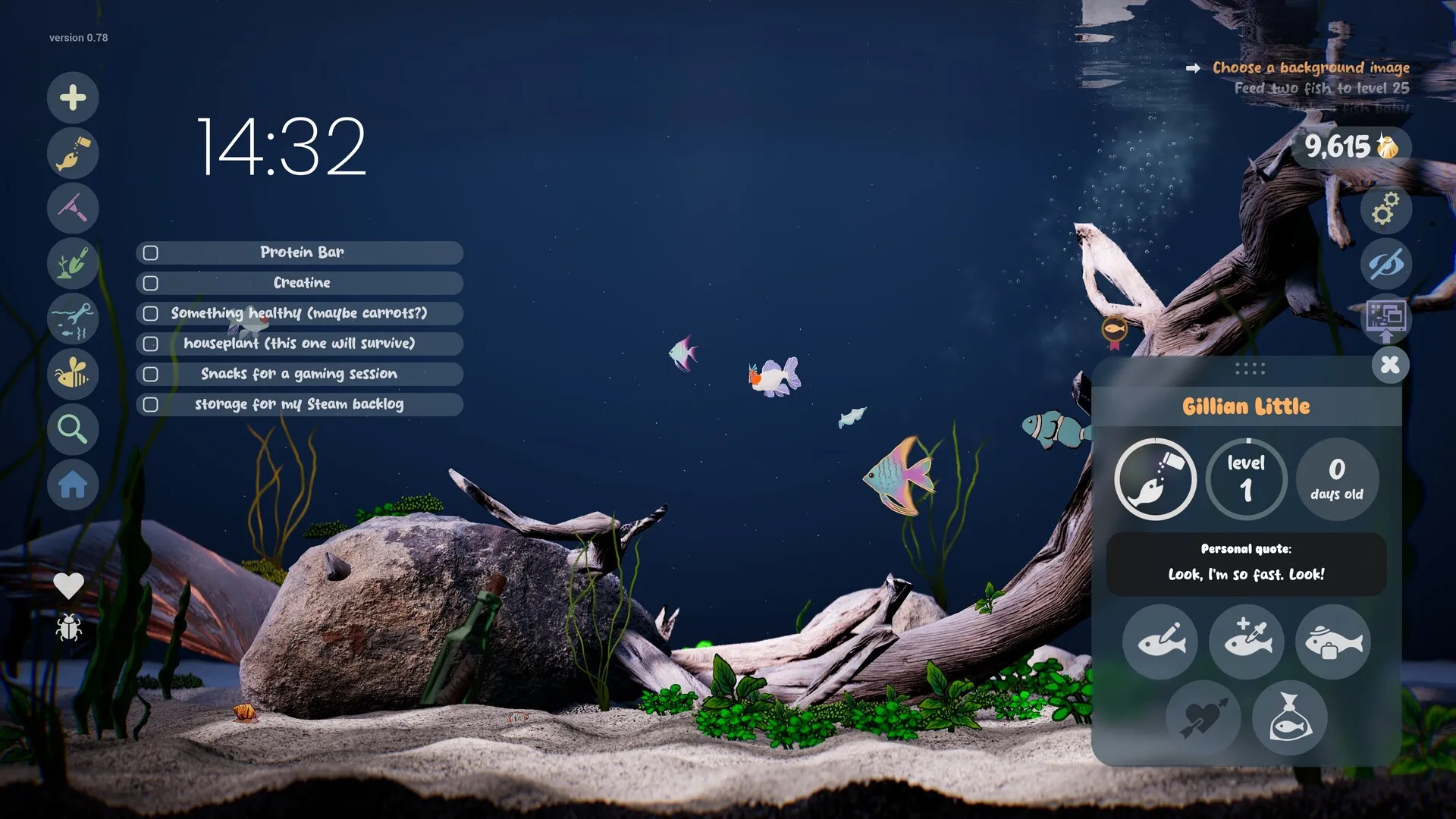
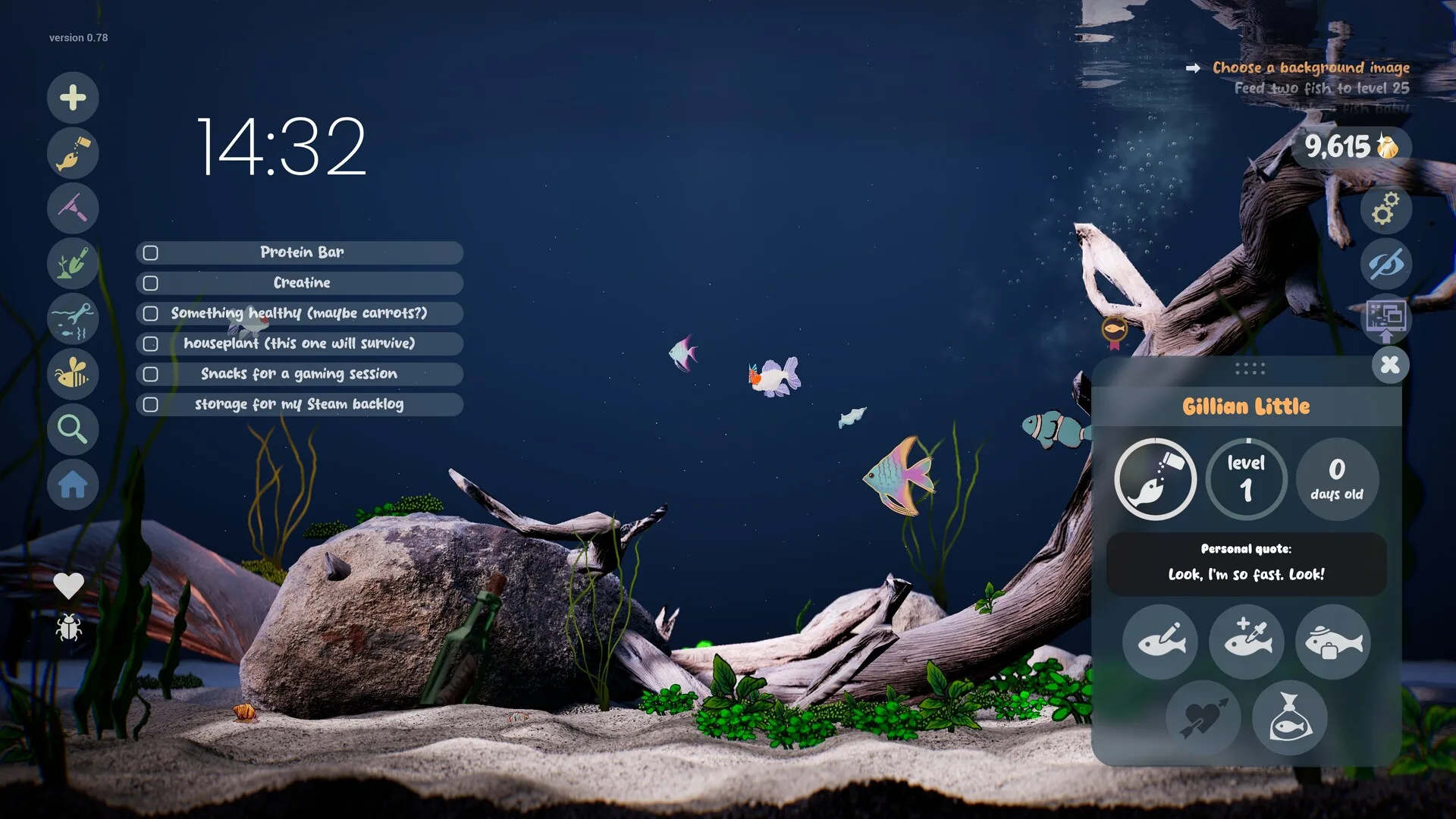
Drawquarium’s loop is create → place → feed → maintain → unlock. The game gives you a goal list that nudges you through it. In the official screenshots, goals include “Feed two fish to level 25”, “Make a fish baby!” and “Find a fish by using the fish list”. Treat those as the game’s own tutorial: they tell you which system to touch next without forcing a linear story.
Your first session should hit each part once. Don’t try to build a perfect aquascape before you know how the editor feels. A tank with three fish and one plant teaches you more than an empty tank with perfect lighting.
2. Draw a fish that reads at tank distance
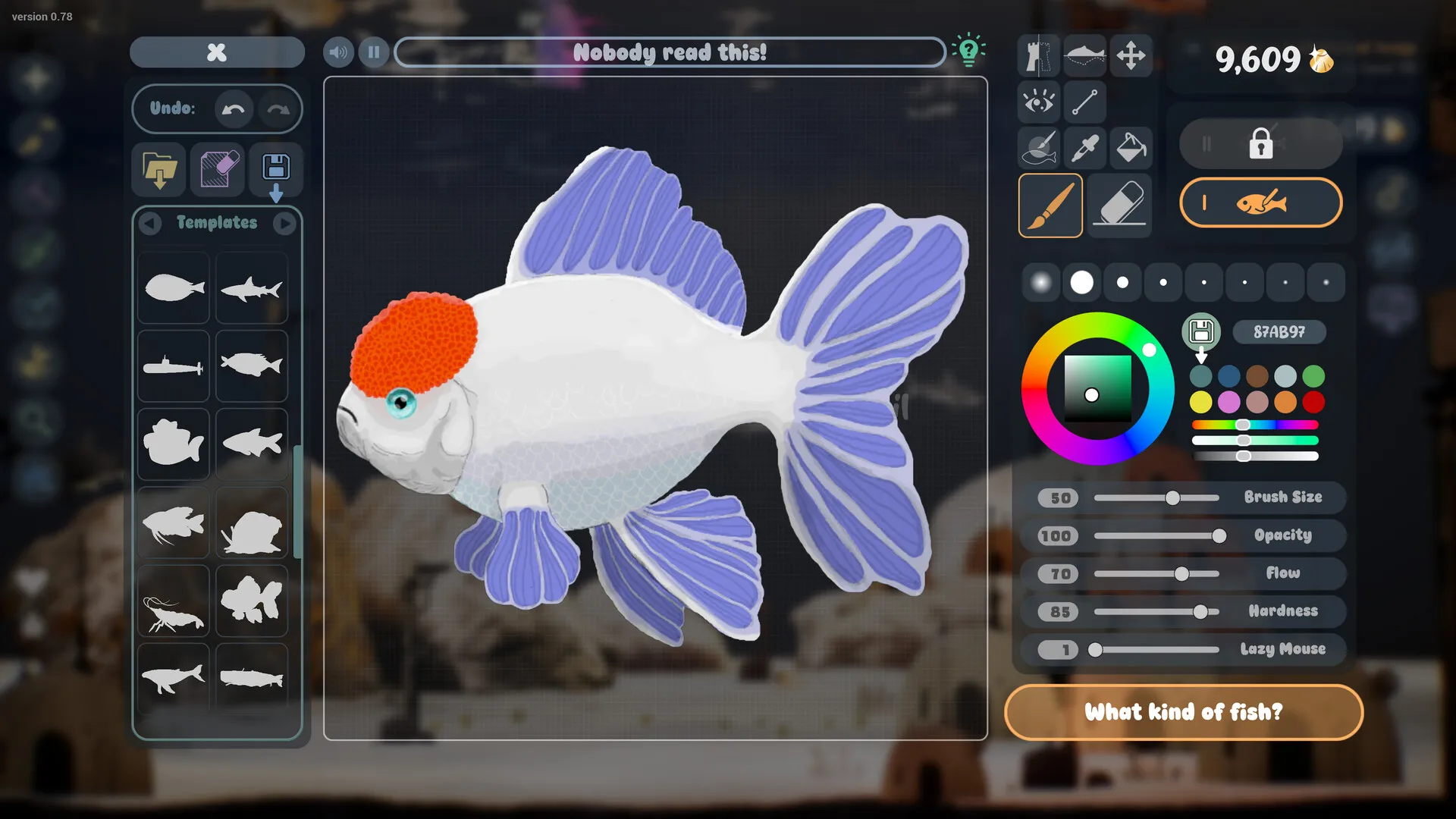
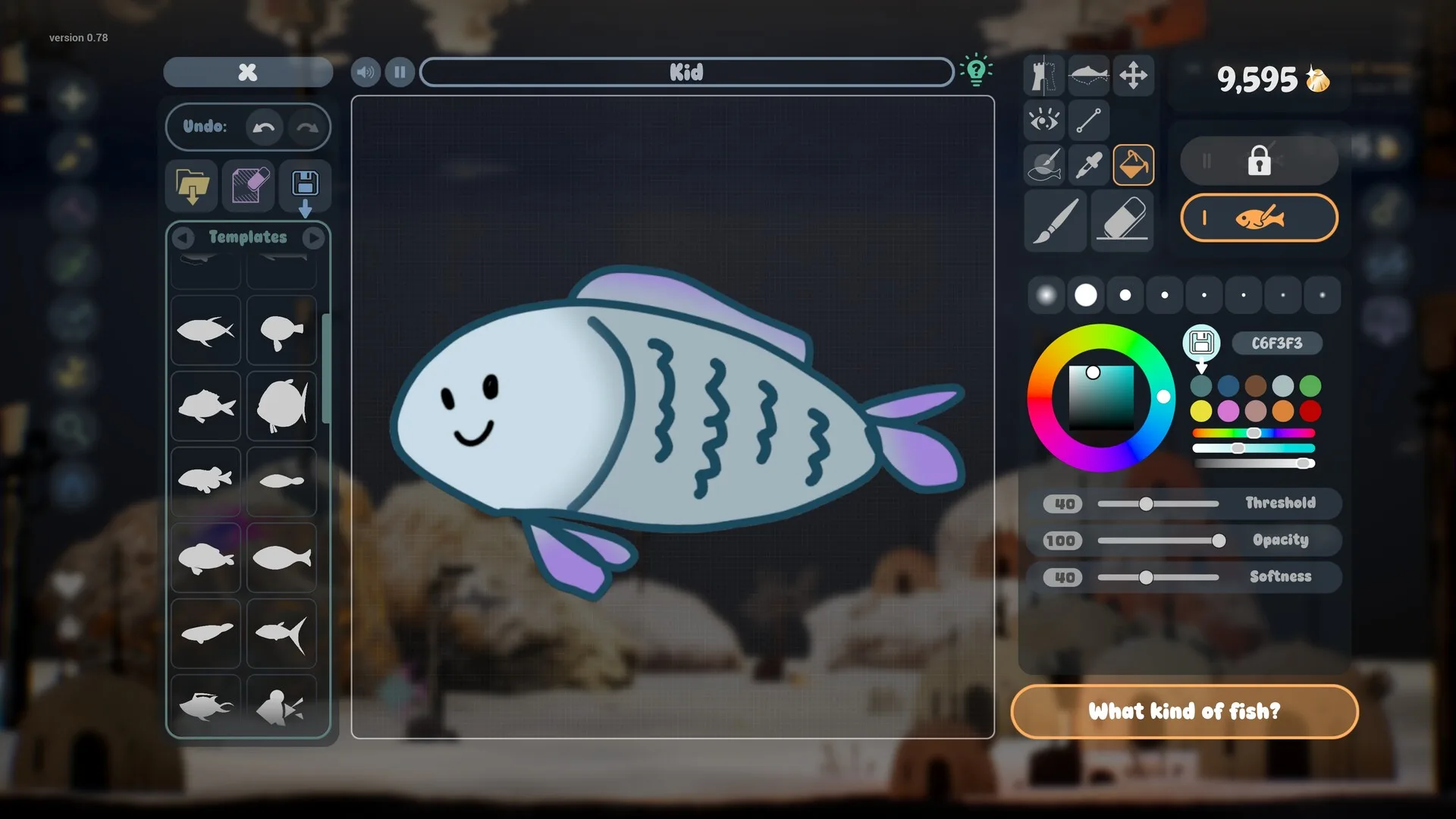
Open the drawing editor and choose a body template if you don’t want to start from a blank canvas. Templates give you a silhouette; you still control colour, pattern, eyes and fins. If you draw freehand, start with the outline and fill it before adding detail.
The most important design rule is not artistic skill. It is contrast. Your fish will spend most of its life small, moving and partly behind plants. A dark fish on a dark background disappears. A fish with one bright body colour, one accent colour and a clearly readable eye will look better in the tank than a carefully shaded fish with ten colours.
- Silhouette first: make the body shape recognisable before adding fins and texture.
- One big eye: eye stamps do a lot of character work; place it early so you can judge the face.
- Two or three colours: a base, a belly or accent, and one pattern colour is enough.
- Use the fill tools: the bucket has threshold and softness controls; a lower threshold keeps gaps from bleeding.
- Test at tank scale: zoom out before you call it finished. Thin lines vanish.
When the fish is done, give it a name and place it. You can edit it later — the developer’s September 2026 update says finished fish are no longer permanently locked. That takes the pressure off the first attempt.
3. Add a plant — and try one imported PNG
Plants are drawn in the same editor and placed around the tank. Start with two or three: one tall plant for the back, one bushy plant for the midground, and something low for the foreground. That gives the tank depth without hiding the fish. The official material also allows stranger objects — sea mines, buildings, whatever you want — but a normal plant is the easiest way to learn placement.
Then test the import path. Save a drawing as a PNG, ideally with a transparent background and a modest resolution, and bring it in. The store says any PNG can become part of the aquarium, including a child’s drawing. Importing early tells you whether your scanner or phone photo workflow produces a clean edge.
4. Feed, watch growth, and don’t overdo it
Feeding is the core care action. Fish start small and grow as they are fed; the profile card shows a level and an age in days. Well-cared-for fish develop a metallic shimmer, and the store says a golden fish may eventually appear if you are consistent. The exact feeding cooldown and level thresholds are not published, so there is no honest “feed every X hours” schedule to give you.
Feed a small amount, watch the fish react, and stop. The September update notes say leftover food and debris stay in the tank until you vacuum it. Overfeeding therefore creates work rather than speeding up growth. Fish also react to bubbles, new arrivals and their surroundings, and can become excited or scared — behaviour is part of the show, not just a stat.
5. Clean the tank before it looks neglected
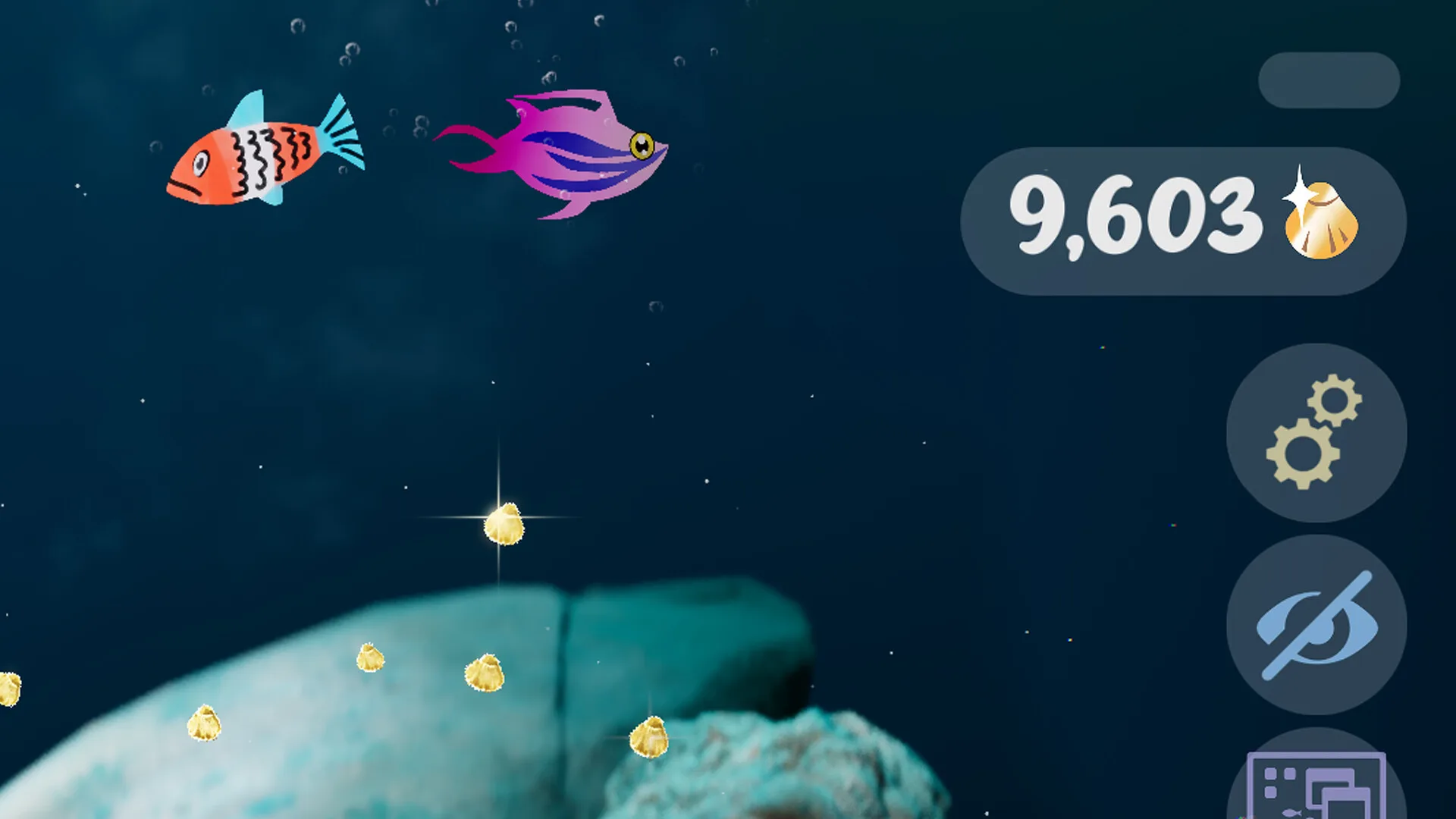
Use the aquarium vacuum to remove leftover food and muck. The store describes this as maintenance, not a punishment: a dirty tank is a visual state you can fix. Make cleaning part of the same visit as feeding. That way you are not running two separate routines.
If you are using Wallpaper Mode, remember that the tank keeps running while you work. Check it when you take a break rather than assuming it stays pristine. The aquarium is designed to be visited, not ignored forever.
6. Spend Golden Scales on things you will actually use
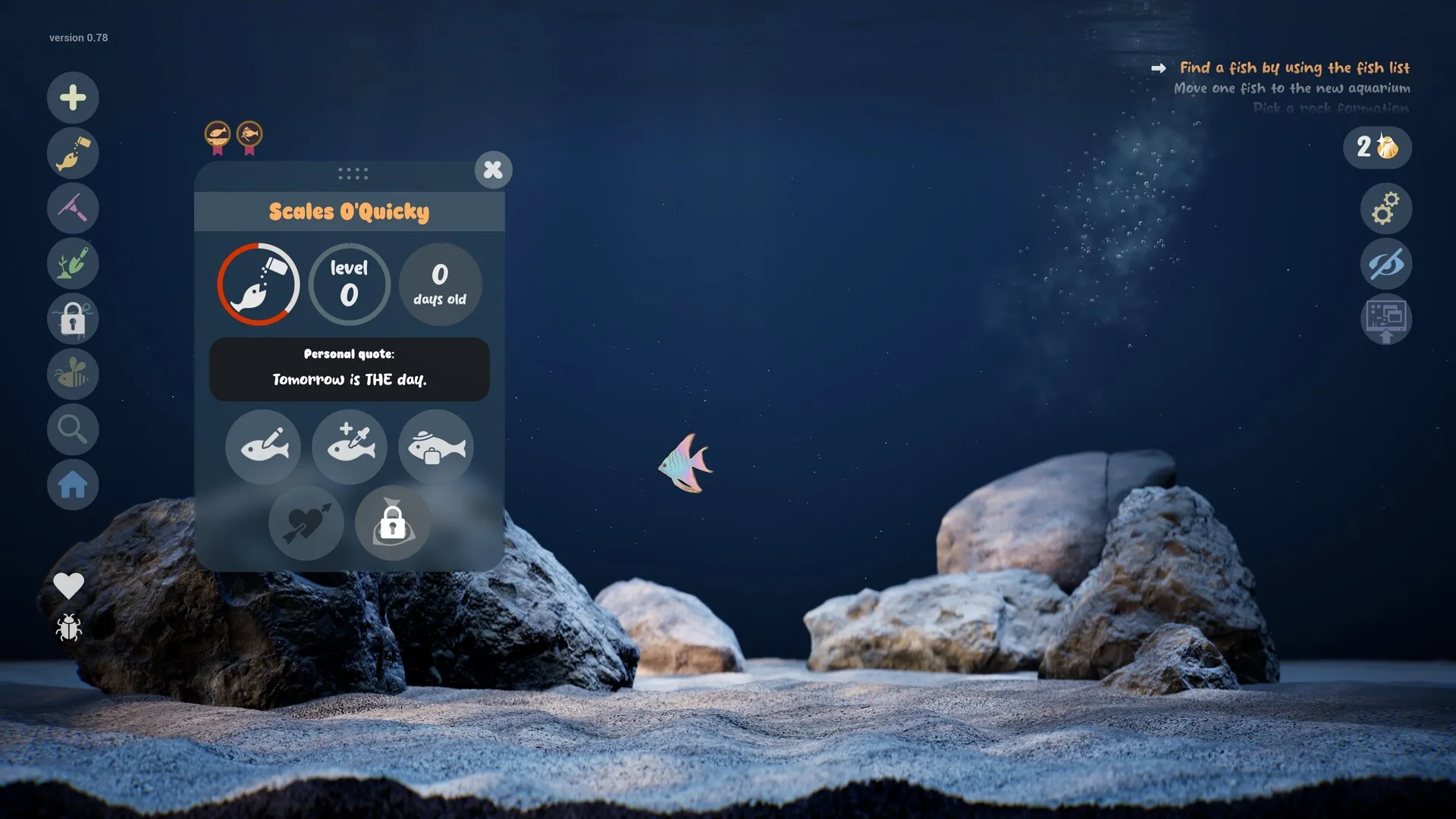
Golden Scales are the progression currency. They unlock brushes, templates, decorations and customisation options. You earn them by caring for fish and keeping a healthy tank. The exact drop rate is not published, and different items cost different amounts: one official screenshot shows a template priced at 2 scales, but that is a single example, not a price list.
A sensible first order is: one body template you will use repeatedly, one brush or fill upgrade that fixes a frustration you actually felt, then decorations. Do not spend early scales on cosmetic items if the editor still feels awkward — the drawing tools are the part you touch every session.
Our Golden Scales guide explains the confirmed economy and the parts that remain unknown.
7. Let the tank become a small society
Fish form friendships, rivalries and pair bonds. The store says they can become enemies, quibble, find a soulmate and have babies. The September 2026 update lists breeding and baby fish, and the in-game goal list includes “Make a fish baby!”. That is enough to know the system exists; it is not enough to publish a breeding chart.
Practically: add fish gradually, watch who spends time together, and don’t crowd a new tank. The profile card gives each fish a level, age and personal quote, which makes it easier to remember individuals. If a pair forms, the game will presumably surface the next step through goals or the profile actions. We have not verified a specific pair requirement, so we won’t invent one.
8. Decorate with restraint, then break the rules
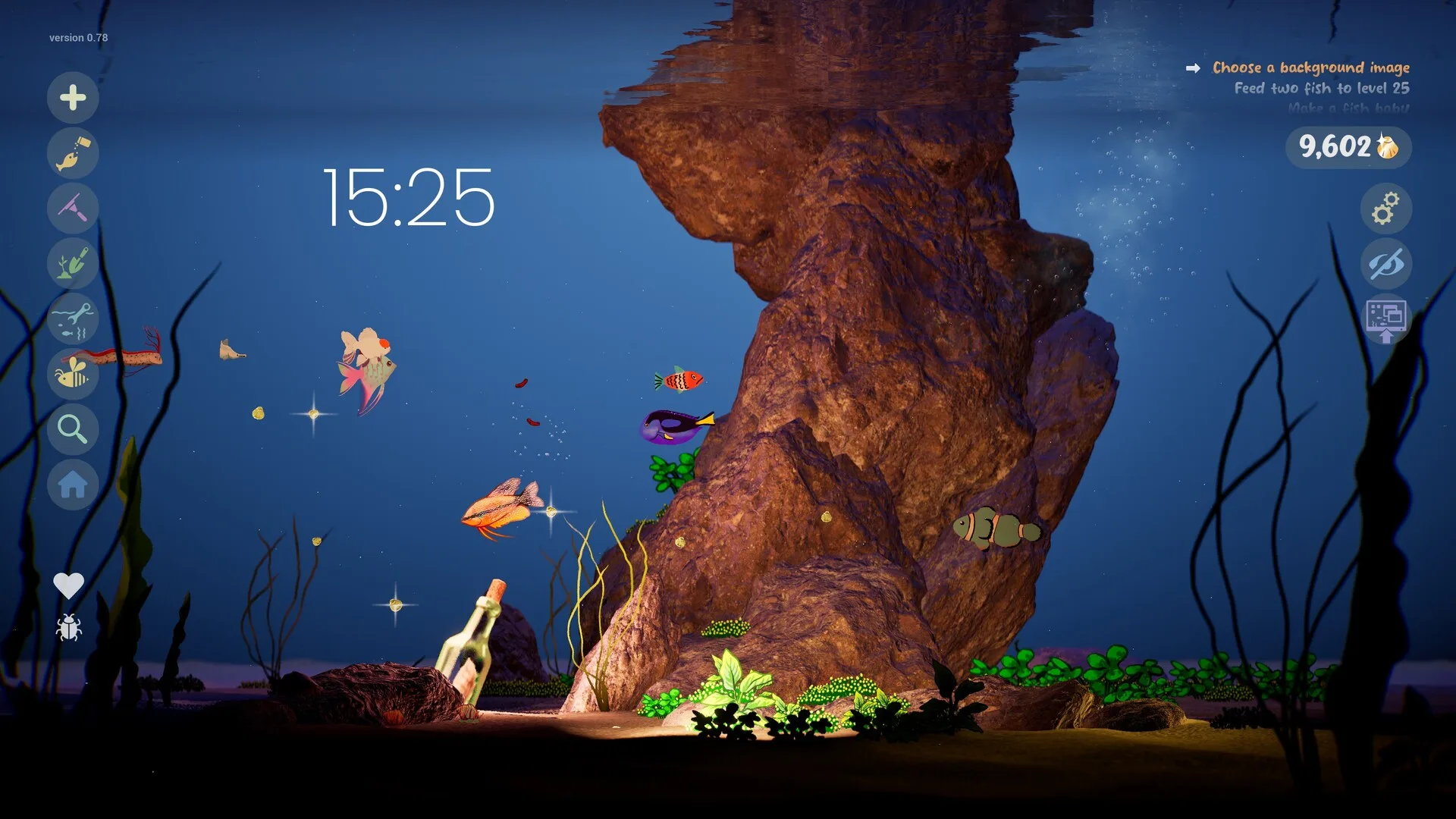
Rocks, driftwood, sand, water level and lighting are adjustable. Lighting can change the mood dramatically, and caustics add moving light patterns. Bioluminescent plants and fish can glow; Disco Mode adds lasers, spotlights and techno music. Those are real features, not trailer effects.
For a first tank, pick one mood. A blue, dim tank with a few glowing plants looks intentional. A tank with five lighting effects, three substrate colours and a disco ball looks like a demo of every setting. Decorating is reversible, so try the restrained version first, then make the weird one in a second aquarium when you have more fish.
9. Put it on the desktop, then use the focus tools
Wallpaper Mode keeps the aquarium behind your open windows. You can still observe, feed and play with fish there, and audio continues when switching modes. The same build includes a journal with multiple entries, a checklist, a timer and a clock with the date and weekday.
Start with one work session: enable wallpaper mode, set a timer, and leave the tank alone. If the motion distracts you, turn it off — a cozy game should not make it harder to work. If it helps, the journal and checklist are right there. Our Wallpaper Mode guide covers the questions the store page does not answer.
Common first-tank mistakes
| Mistake | Why it hurts | Better move |
|---|---|---|
| Drawing at maximum detail | Thin lines and shading disappear when the fish is small. | Design for a 100-pixel silhouette first. |
| Overfeeding | Leftover food stays until vacuumed. | Feed a little, then clean in the same visit. |
| Buying decorations first | The editor is what you use every session. | Unlock a template or brush you will reuse. |
| Assuming demo saves transfer | No official confirmation exists. | Keep your source art outside the game. |
| Crowding a new tank | Too much motion hides individual fish and their relationships. | Add a few, watch them, then expand. |
What this guide does not claim
We have not published a feeding cooldown, a level curve, a breeding recipe, a population cap or a Golden Scale drop rate. None of those numbers appear in the official material we checked. If a guide gives you exact numbers without showing where they came from, be skeptical — especially before release.
Ready to make something? The fish idea generator can break a blank canvas, and the printable sketch sheets give you an original outline to colour before importing.
Sources for this page
Accessed November 1, 2026Listed claims on this page were checked against the records below. If a detail is not in these records, it is labelled as unconfirmed rather than presented as fact.
- 01 Drawquarium on Steam — Valve / byKaleb / rokaplay
Store description, release date, languages, features, system requirements, tags and platform list.
- 02 Drawquarium Demo on Steam — Valve / byKaleb / rokaplay
Demo listing, free status, demo-specific feature bullets, system requirements.
- 03 Drawquarium has changed a LOT since the demo in May — Kaleb Lechowski (Steam announcement)
September 18, 2026 list of added and improved systems since the first demo.
- 04 Drawquarium is Coming to Steam on November 13! — Kaleb Lechowski (Steam announcement)
Release date announcement published October 26, 2026, with the release-date trailer.
- 05 Drawquarium is one of the most relaxing sandbox games I've played in a hot minute — PC Gamer
Hands-on feature published May 11, 2026. Used for impressions, not for unconfirmed mechanics.
- 06 Drawquarium lets you rear and grow your own terrible hand-drawn fish — GameSpew
October 31, 2026 preview.
Read how we classify evidence in our editorial policy.
Quick status